Contrast checker
Ratio and AA/AAA for any text, measured against the real background, even a gradient.
 PixelPeek
Download
A free Chrome extension, no account needed
Hover over anything on a page to read its styles. Select it to see every colour inside. Copy it into Figma as editable layers, or pull out the whole design system. It all happens in your browser.
it's free, and there's nothing to sign up for
Version 1.1.1 · 96 KB · works in Chrome, Edge, Brave and Arc
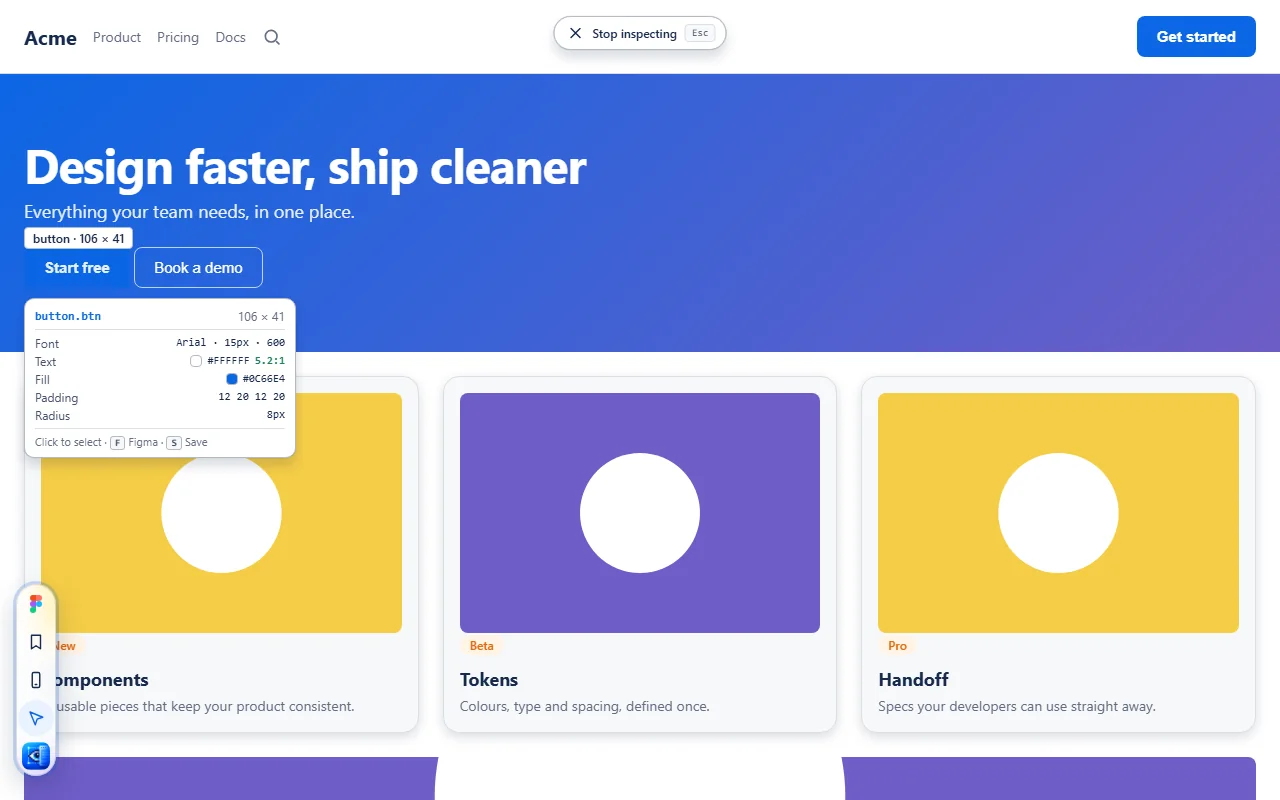
Inspect
Click the PixelPeek icon, then hover. A small card follows your mouse and shows the size, font, colours, contrast, padding and corner radius of whatever is under it. No DevTools, no digging through CSS.
Contrast 5.2:1
Fill #0C66E4
Padding 12 20
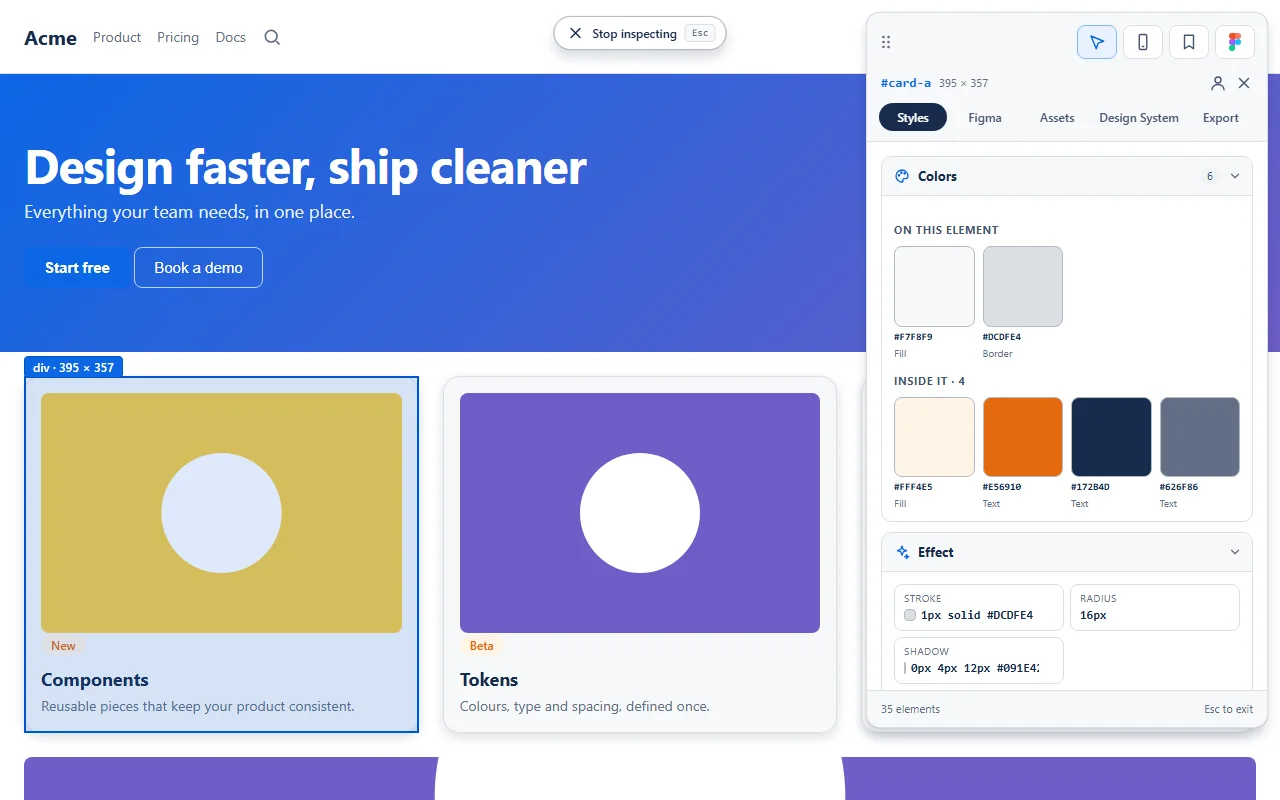
Colours
Most tools only show the colours of the one thing you clicked. PixelPeek also reads everything inside it, so a whole card, hero or footer gives you its full palette.
Copy to Figma
Select an element, the visible area or a whole page, press copy, then paste into Figma. You get real rectangles, text, gradients, strokes, shadows, images and icons. They are layers you can edit, not a flat screenshot.
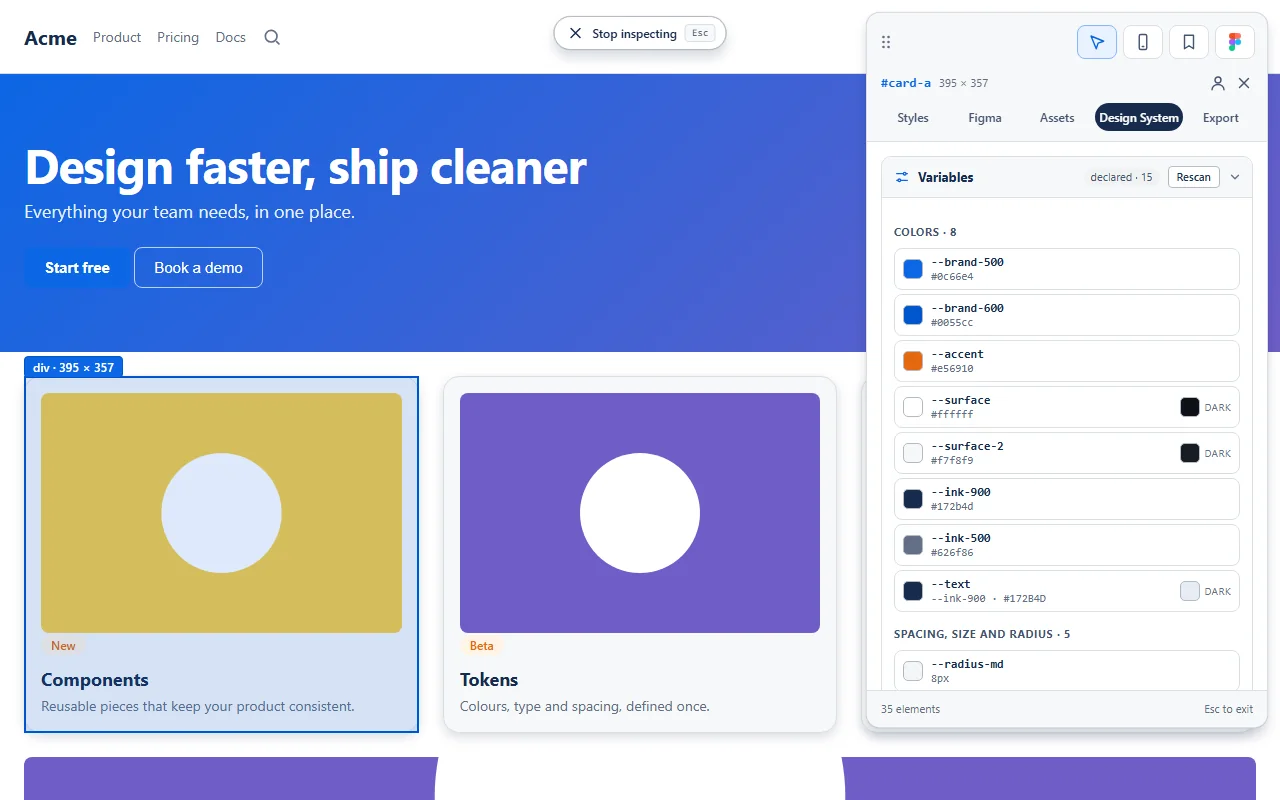
Design system
PixelPeek reads the variables the site's own developers wrote, with the same names and the same dark-mode values. Then it lists the colours, text styles, shadows, spacing and components the page actually uses. Nothing is guessed or generated.
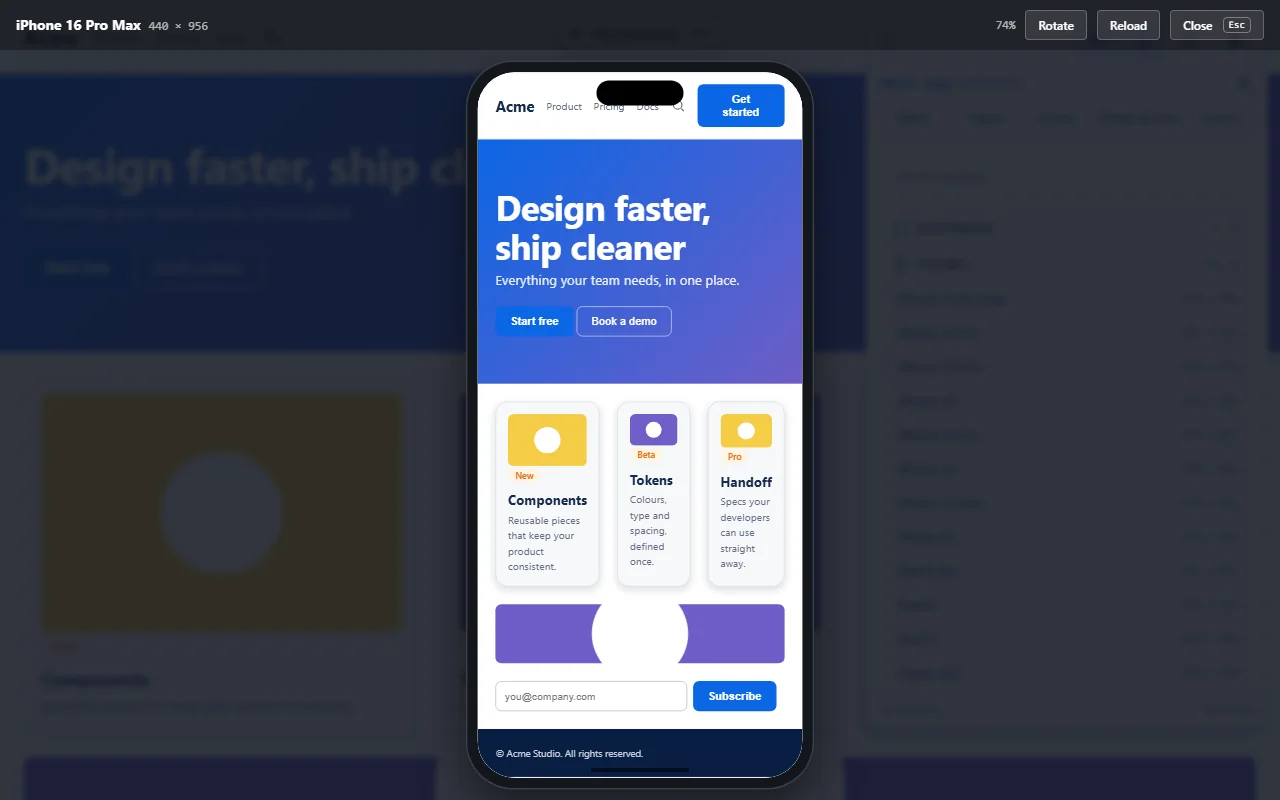
Responsive
Pick a device and the page appears inside it at its real size. PixelPeek also makes the browser act like that phone or tablet, the way Chrome's device toolbar does, so sites that serve a separate mobile page actually serve it.
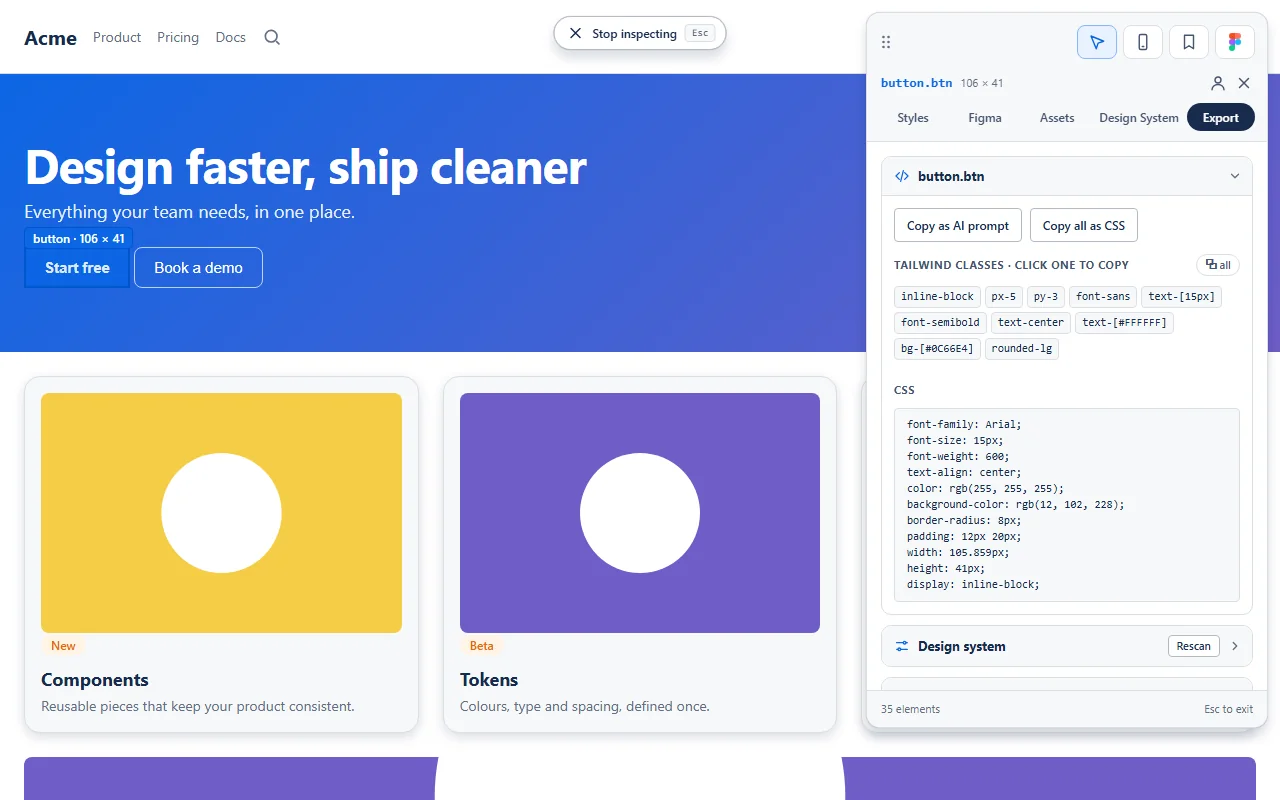
For developers
Select any element and take it as Tailwind classes, raw CSS, or a ready-made prompt for your AI coding tool. Export the page's whole design system in the format your project already uses.
Also included
Ratio and AA/AAA for any text, measured against the real background, even a gradient.
Draw margin and padding, with their pixel values, right on the page.
Select one element, hold Alt over another and see the exact gap.
Images, SVGs, icons, video and CSS backgrounds, one by one or as a ZIP. Select an element to see only its assets.
Keep the elements you like, with their CSS and Tailwind, on your own computer.
F copy to Figma, S save, Esc leave. Your page stays frozen while you work.
Private by design
Get it
The complete extension is one small ZIP. Chrome Web Store listing: coming soon.
Get the ZIP and unzip it anywhere. Keep the folder, Chrome reads from it.
Download PixelPeek 1.1.1In Chrome, go to chrome://extensions and turn on Developer mode (top right).
Click Load unpacked, pick the unzipped folder, then click the PixelPeek icon on any page.
Pin it from the puzzle icon for one-click access
It's free, it's private, and it takes about a minute to set up.
Download the extensionVersion 1.1.1 · 96 KB